If you are experiencing network file share issue, please first check your network setting and make sure discovery is turned on and no firewall or other security application blocking the connection.
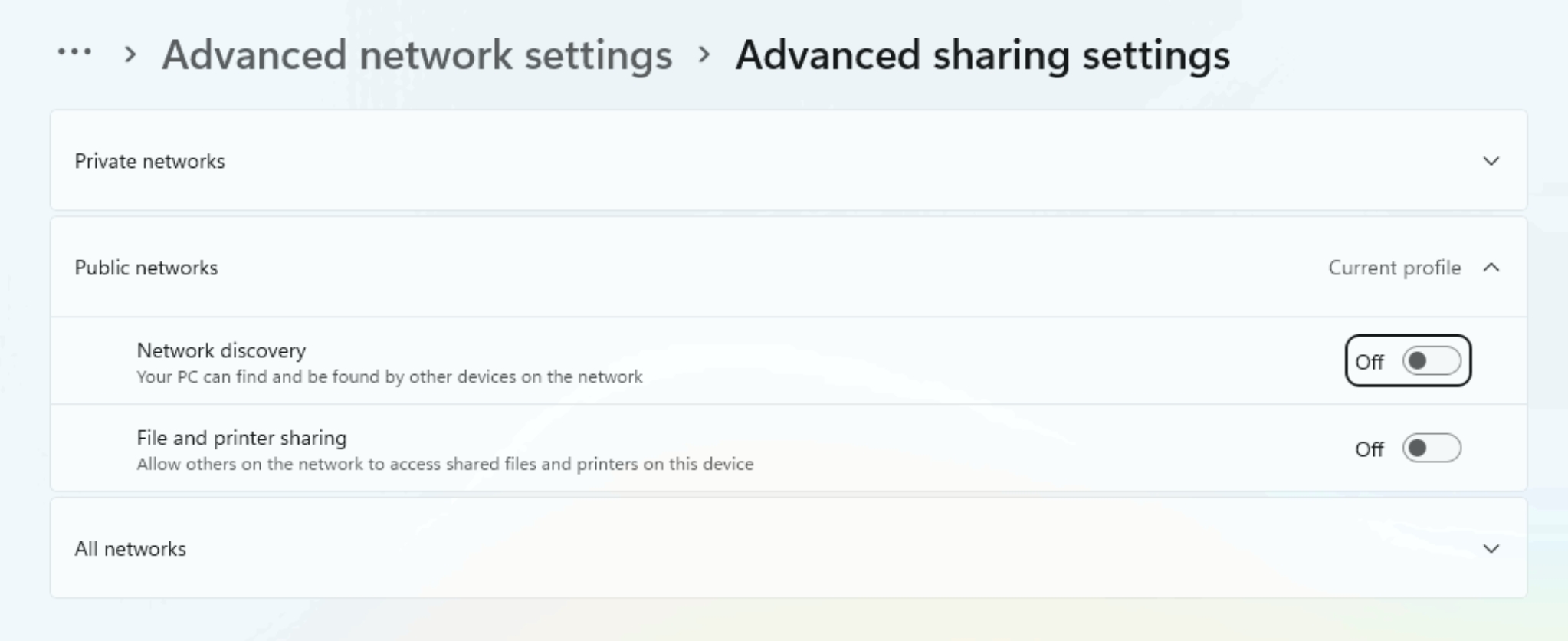
If not fixed, follow below articles to set unique IDs and serials if the application is using any of the unique ids and perform a clean Sysprep:
SID (with Sysprep Generalize): https://help.volcora.com/support/solutions/articles/73000665087-change-sid-on-your-windows-11-to-prevent-software-sid-limitations
Board SN & UUID: https://help.volcora.com/support/solutions/articles/73000661739-motherboard-serial-uuid-configuration
WMI: https://help.volcora.com/support/solutions/articles/73000665878-how-to-set-wmi-uniqueness-with-cpu-processor-disk-and-bios-serial-number
If none of the above works, you may need to proceed with resetting the terminal (clean reset, remove everything), and/or ultimately re-imaging the terminal.
Board SN & UUID: https://help.volcora.com/support/solutions/articles/73000661739-motherboard-serial-uuid-configuration
WMI: https://help.volcora.com/support/solutions/articles/73000665878-how-to-set-wmi-uniqueness-with-cpu-processor-disk-and-bios-serial-number
If none of the above works, you may need to proceed with resetting the terminal (clean reset, remove everything), and/or ultimately re-imaging the terminal.
Please contact our support team for further clarifications.
Was this article helpful?
That’s Great!
Thank you for your feedback
Sorry! We couldn't be helpful
Thank you for your feedback
Feedback sent
We appreciate your effort and will try to fix the article